Enterprise Technology · Enterprise Application Development

Enterprise Application Development: Build the Software Your Business Actually Needs

MLT designs and develops web-based enterprise applications around specific business processes, users and operational requirements.

Solution Workflows · Portals · Dashboards · Approvals · Reports 5 min read
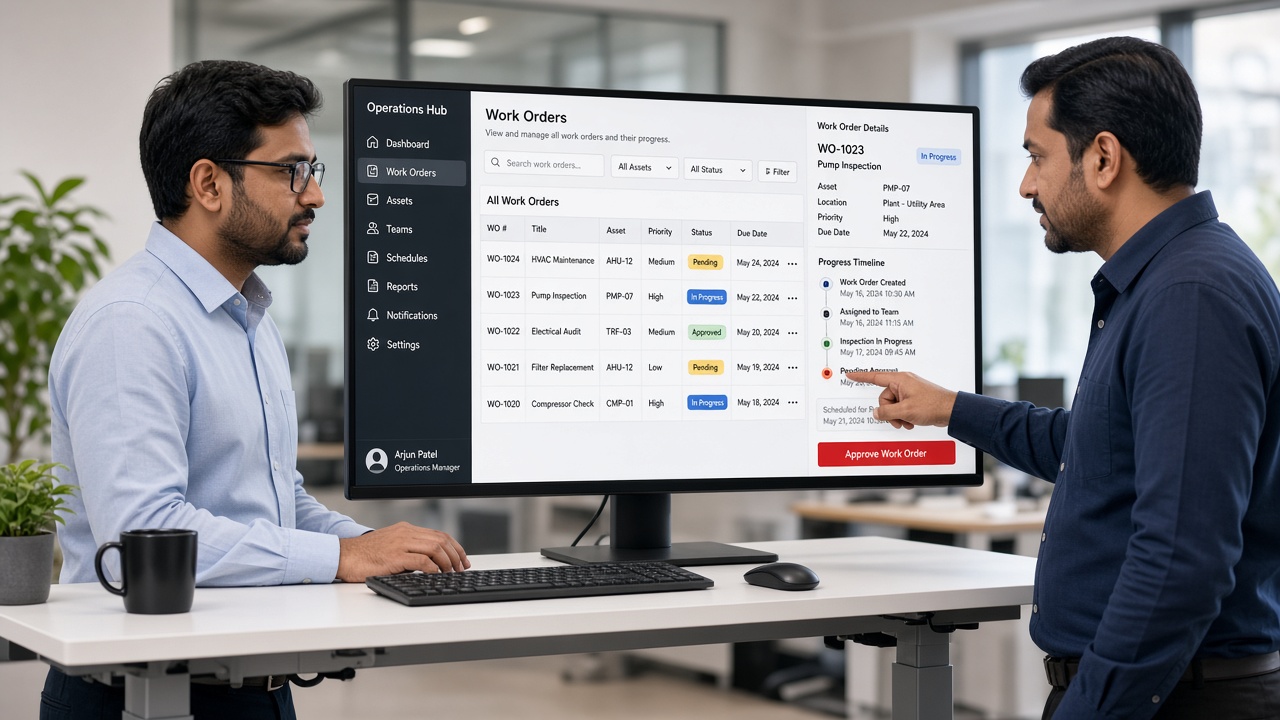
Operations manager and colleague reviewing a custom web-based work-order application with status chips, a detail panel, a progress timeline and an approve button

Build the Software Your Business Actually Needs

MLT designs and develops web-based enterprise applications around specific business processes, users and operational requirements.

Instead of forcing teams to adapt to generic software, the application is shaped around how the organization actually works.

Enterprise Application Development at a glance
SolutionEnterprise Application Development
Solution AreaEnterprise Technology
Application TypeWeb-Based Enterprise Applications
Built AroundBusiness Processes · Users · Operational Requirements
Design ApproachUsers → Processes → Data → Rules → Workflows → Outcomes
Typical OutputsWorkflows · Portals · Dashboards · Approvals · Reports
Solution highlights
0
Application capabilities
0
Design considerations
Web-Based
Accessible from the browser

Capabilities

Capabilities can include:

What MLT can build
Business Workflow ApplicationsProcesses, digitized
Operations Management SystemsRun daily operations
Enterprise PortalsStaff, customers & partners
Management DashboardsVisibility for leaders
Role-Based ApplicationsThe right view per user
Workflow SystemsTasks move automatically
Approval SystemsMulti-level sign-offs
Reporting PlatformsReports on demand
Data-Driven Business ApplicationsDecisions from data
Custom Enterprise PlatformsPurpose-built platforms

Approval & Workflow Systems

Requests, approvals and hand-offs that once moved through email, paper or phone calls can follow defined, trackable workflows, with each step visible to the people involved.
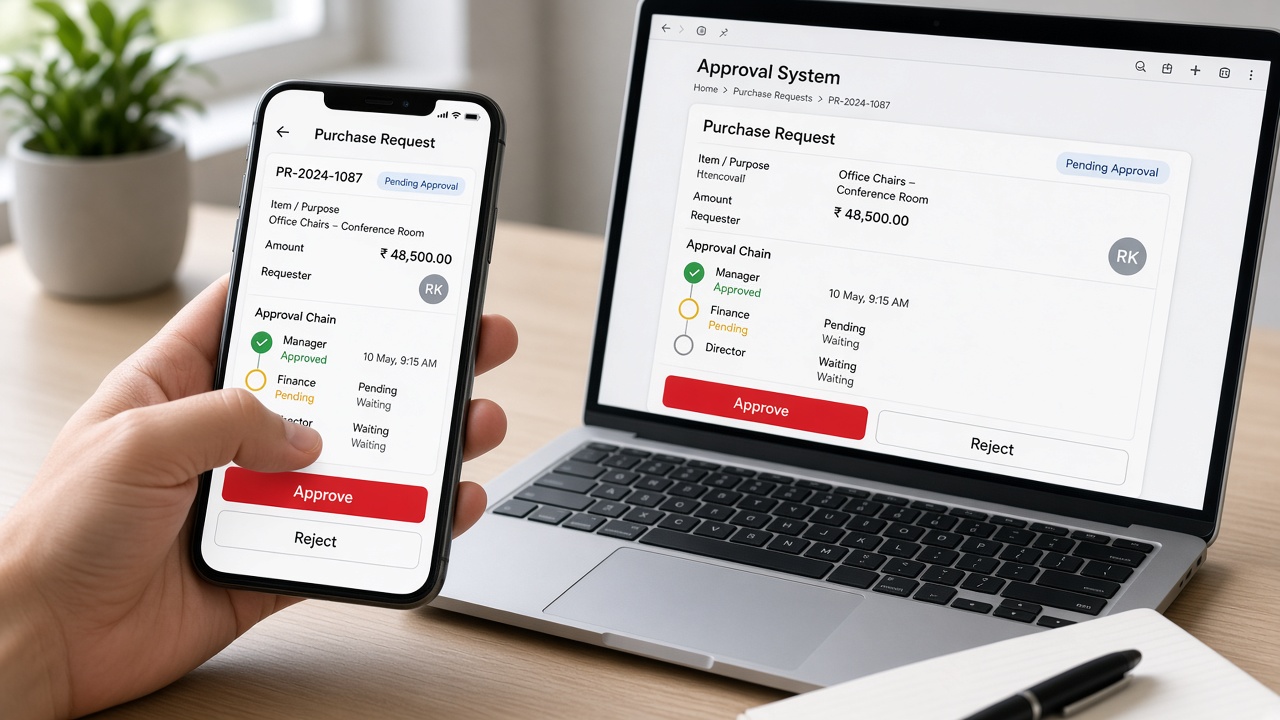
Phone and laptop showing a purchase request of 48,500 rupees with a manager, finance and director approval chain and approve and reject buttons
Approval systems: multi-level sign-offs on web and mobile, with the status of every step visible

Management Dashboards

Management dashboards bring operational information into one view, so leaders can see performance, workloads and exceptions without waiting for manual reports.
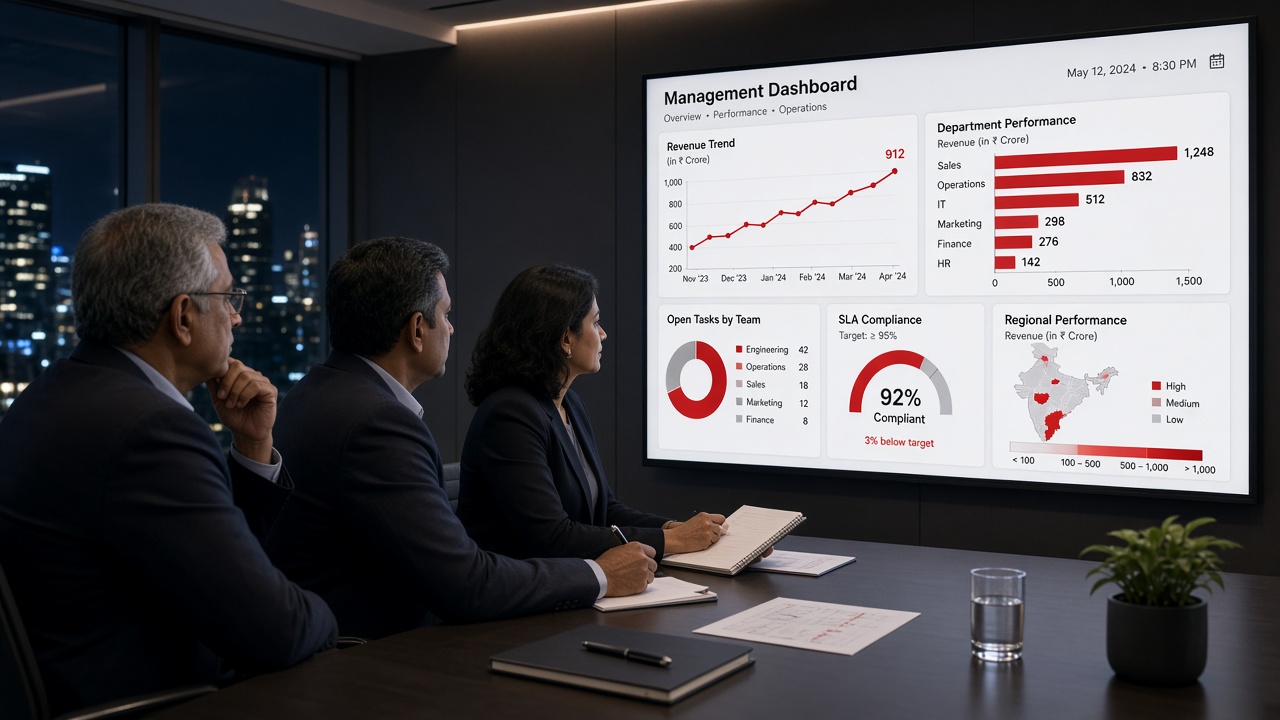
Leadership team in a boardroom reviewing a management dashboard with revenue trend, department performance, open tasks by team, SLA compliance and regional performance
Management dashboards: performance, workloads and compliance in one view

Role-Based Applications

One application can present different screens, data and actions to different roles, so administrators, managers and staff each see what they need.
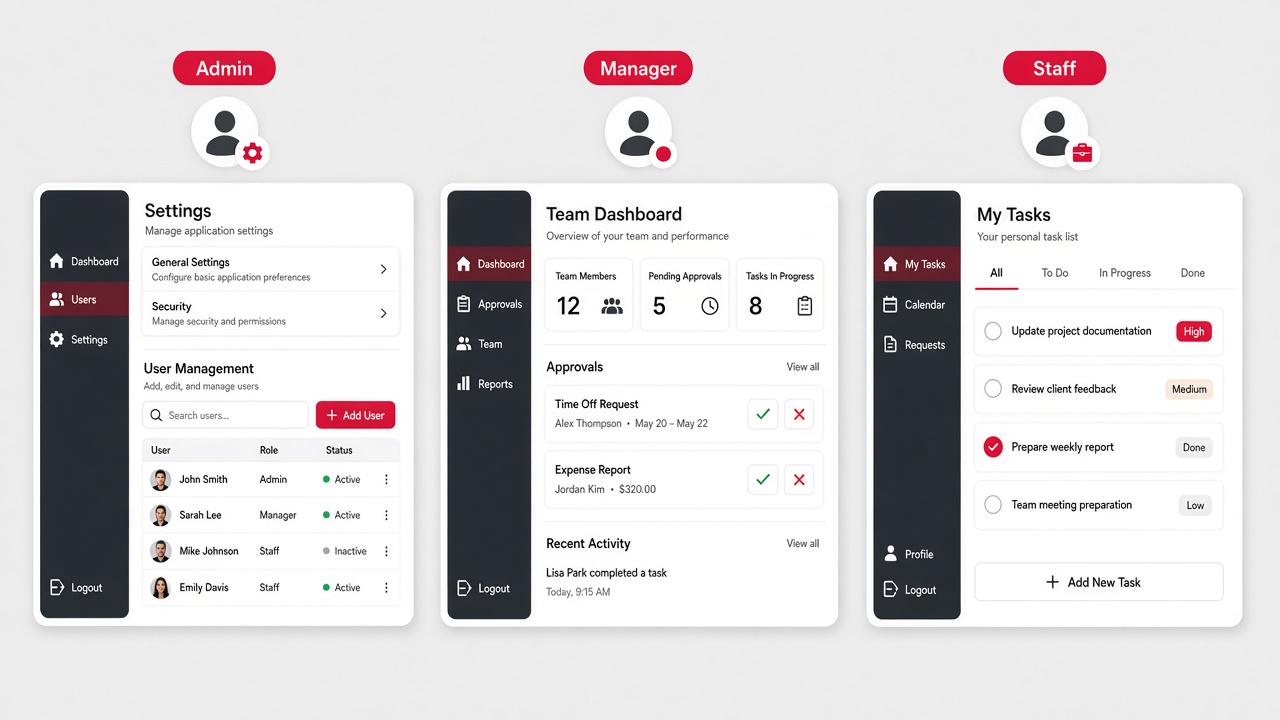
The same web application shown as three screens for Admin with settings and user management, Manager with a team dashboard and approvals, and Staff with a personal task list
Role-based applications: one system, different views for admin, manager and staff

Enterprise Portals

Portals give employees, customers and partners a single, secure place to place orders, track status, download documents and raise requests.
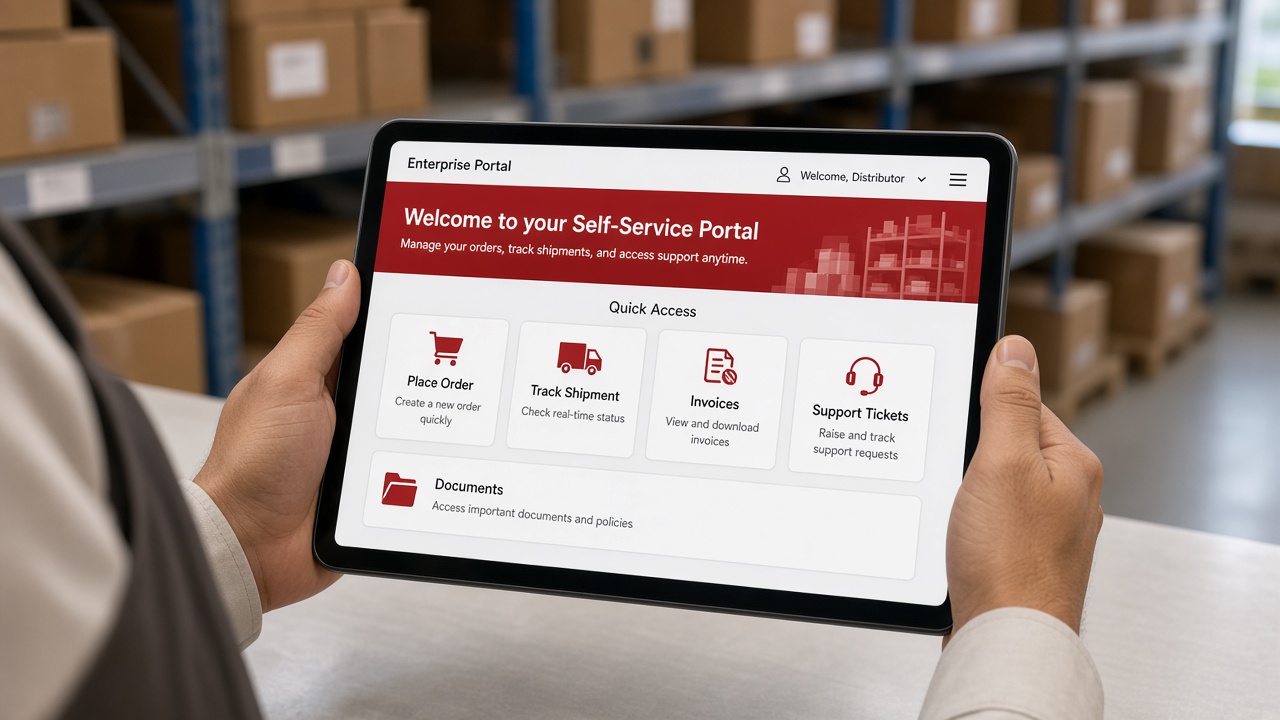
Distributor at a warehouse counter holding a tablet showing a self-service enterprise portal with place order, track shipment, invoices, support tickets and documents
Enterprise portals: self-service for partners and customers

Reporting Platforms

Reporting platforms turn application data into filtered, exportable and scheduled reports, reducing the time spent compiling spreadsheets by hand.
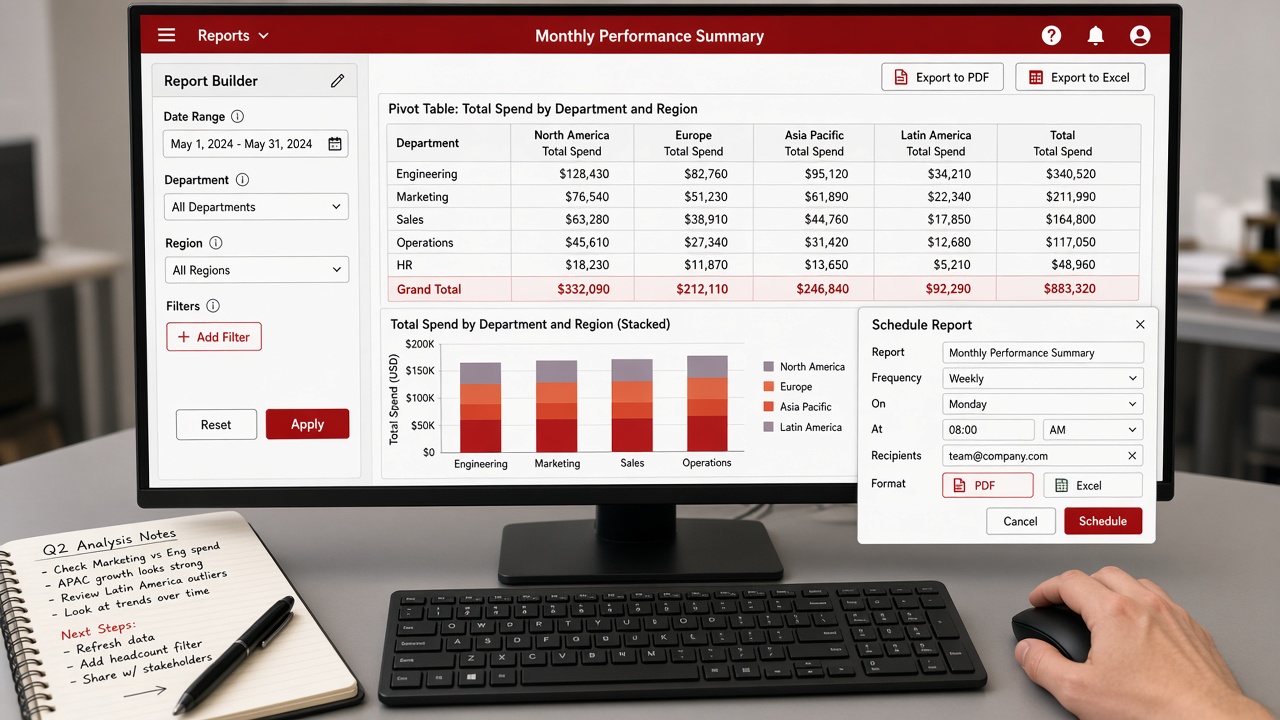
Monitor showing a report builder with date, department and region filters, a pivot table, a stacked bar chart, PDF and Excel export and a schedule report dialog
Reporting platforms: filter, export and schedule reports directly from the application

More Than Building Screens

The focus is not simply on building screens. It is on understanding:

1
UsersWho works in the system
2
ProcessesHow work gets done
3
DataWhat information matters
4
RulesPolicies & conditions
5
WorkflowsHow tasks move
6
OutcomesWhat the business gains
Screen-first development
  1. Starts with page layouts
  2. Business rules added later
  3. Users adapt to the software
MLT’s business-first approach
  1. Starts with users and processes
  2. Data, rules and workflows defined up front
  3. Software designed around the outcome
Designer and business analyst reviewing paper wireframes linked by red arrows, sticky notes listing user roles and business rules, and a clickable prototype on a laptop
Roles, rules and workflows mapped onto wireframes and a prototype before development starts

Explore All Enterprise Technology →

Build Software Around Your Business

From workflows and approvals to portals, dashboards and reports, MLT builds enterprise applications around your users, processes and outcomes.

Build the software your business actually needs

Tell us about the process, the users and the outcome you need, and our team will help shape the right enterprise application.

Back to Enterprise Technology
Get in touch

Ready to build the software your business actually needs?

Share a few details about your process, users and goals, and our team will help design the right enterprise application.

No pitch decks. Just a hello — we’ll take it from there.