Enterprise Technology · System Integration & Automation

System Integration & Automation: Make Your Systems Work Together

MLT connects applications that operate independently through APIs, integration layers and automated workflows.

Solution APIs · Integration Layers · Automated Workflows 5 min read
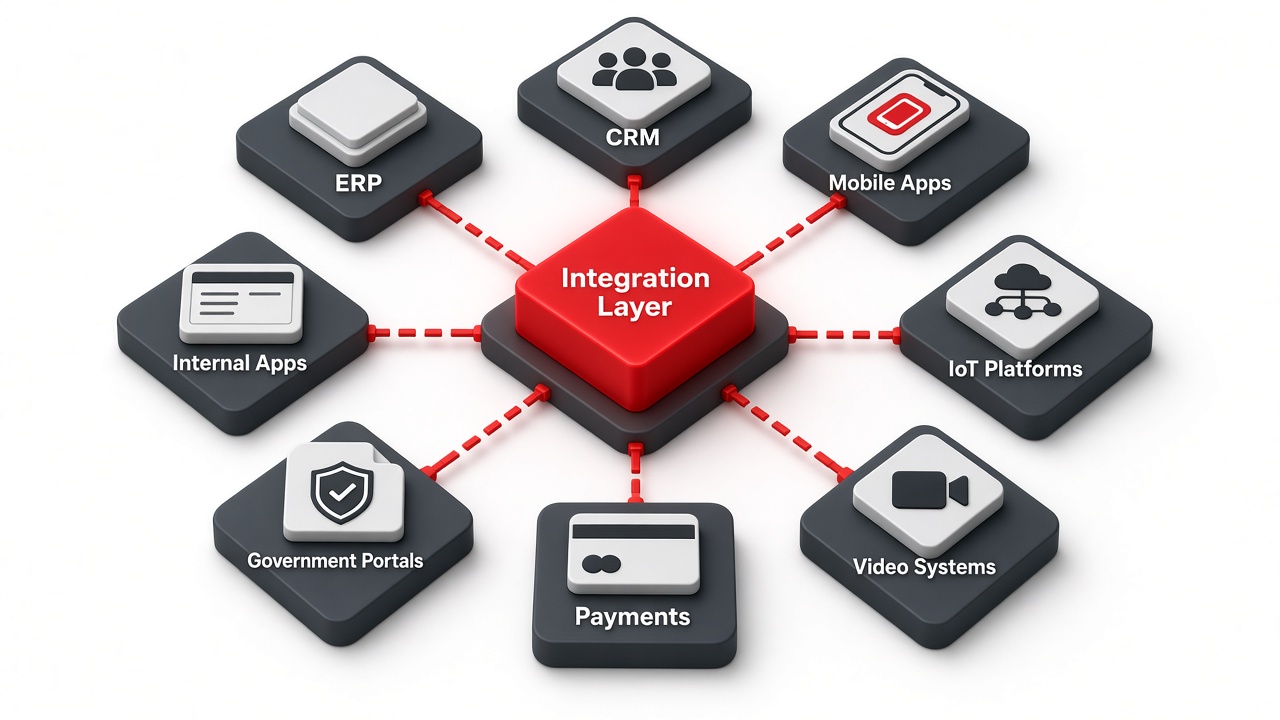
Isometric illustration of a red integration layer hub connected to ERP, CRM, mobile apps, IoT platforms, video systems, payments, government portals and internal apps

Make Your Systems Work Together

Organizations often have multiple applications that operate independently.

MLT can connect these systems through APIs, integration layers and automated workflows.

System Integration & Automation at a glance
SolutionSystem Integration & Automation
Solution AreaEnterprise Technology
Systems ConnectedERP · CRM · Mobile · IoT · Video · Payments · Government Portals · Internal Apps
HowAPIs · Integration Layers · Automated Workflows
FlowSystem A → Integration Layer → Business Logic → System B → Automated Workflow
BenefitLess Duplicate Data Entry, Better Information Flow
Solution highlights
0
System types connected
0
Integration flow stages
Automated
Workflows between systems

Applications That Operate Independently

When systems don’t share information, people become the integration layer: re-typing the same order, customer or record into several applications.
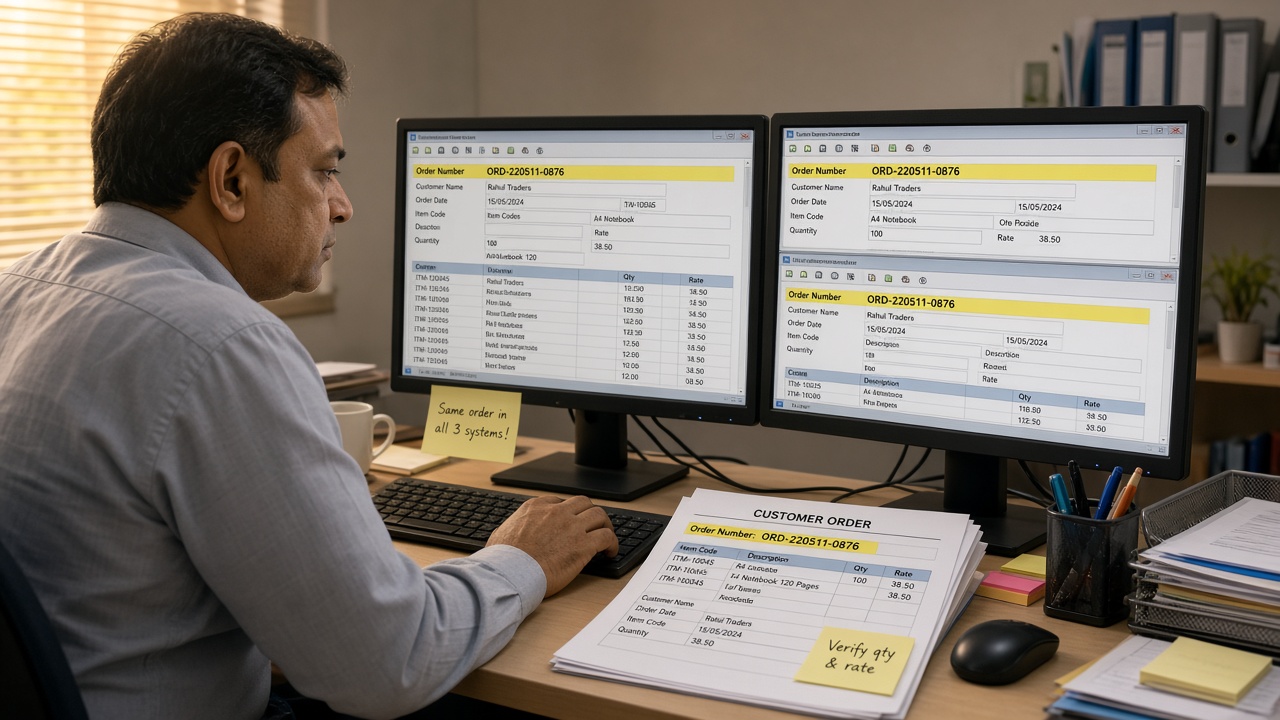
Office clerk re-typing the same customer order number into three different applications across two monitors, with a printed order and a sticky note saying same order in all 3 systems
Without integration: the same order keyed into three systems by hand

Systems We Connect

Common systems
ERPFinance, inventory & operations
CRMCustomers & sales
Mobile ApplicationsField & customer apps
IoT PlatformsSensors & devices
Video SystemsCameras, VMS & AI events
Payment SystemsCollections & reconciliation
Government PortalsSubmissions & status
Internal ApplicationsIn-house tools

Payment System Integration

When payments are integrated, a single transaction can update invoices, stock and accounts without anyone re-entering it.
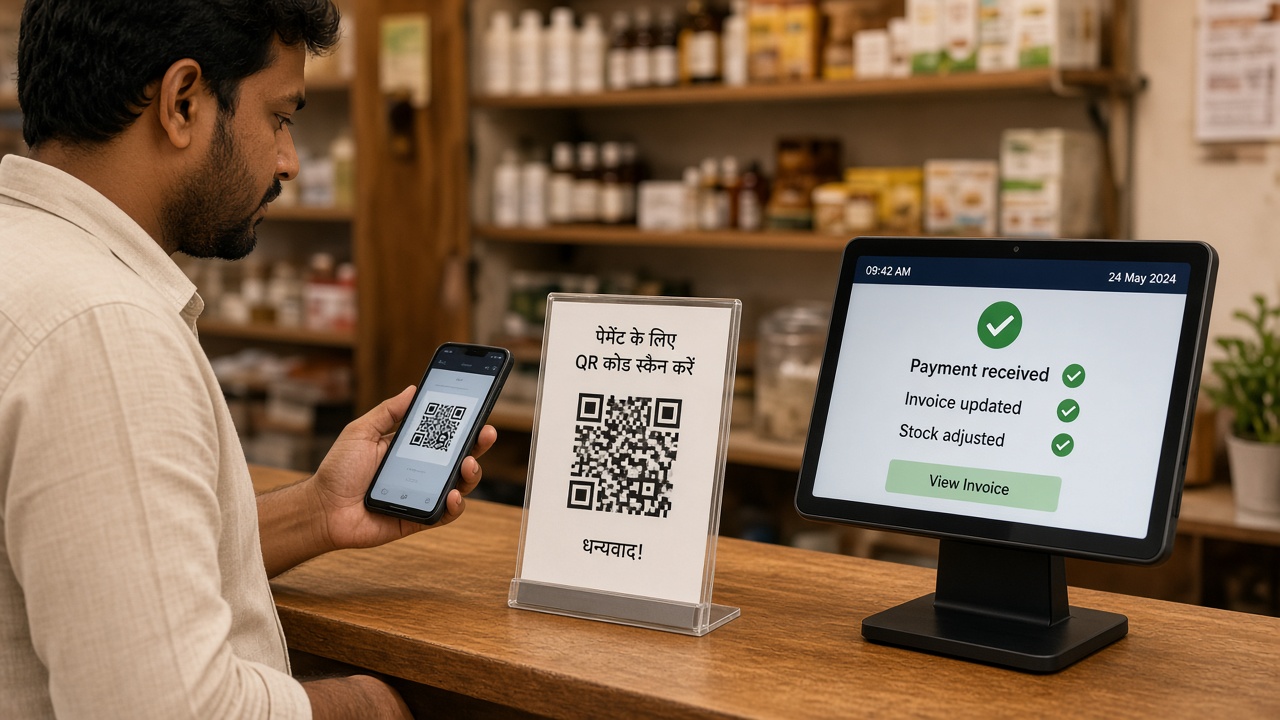
Customer scanning a QR code to pay at a shop counter while a tablet point-of-sale shows payment received, invoice updated and stock adjusted
Payments: one transaction updates the invoice and stock automatically

Video & IoT Systems

Events from cameras and sensors can flow into business applications, for example automatically creating and assigning a ticket when a configured event occurs.
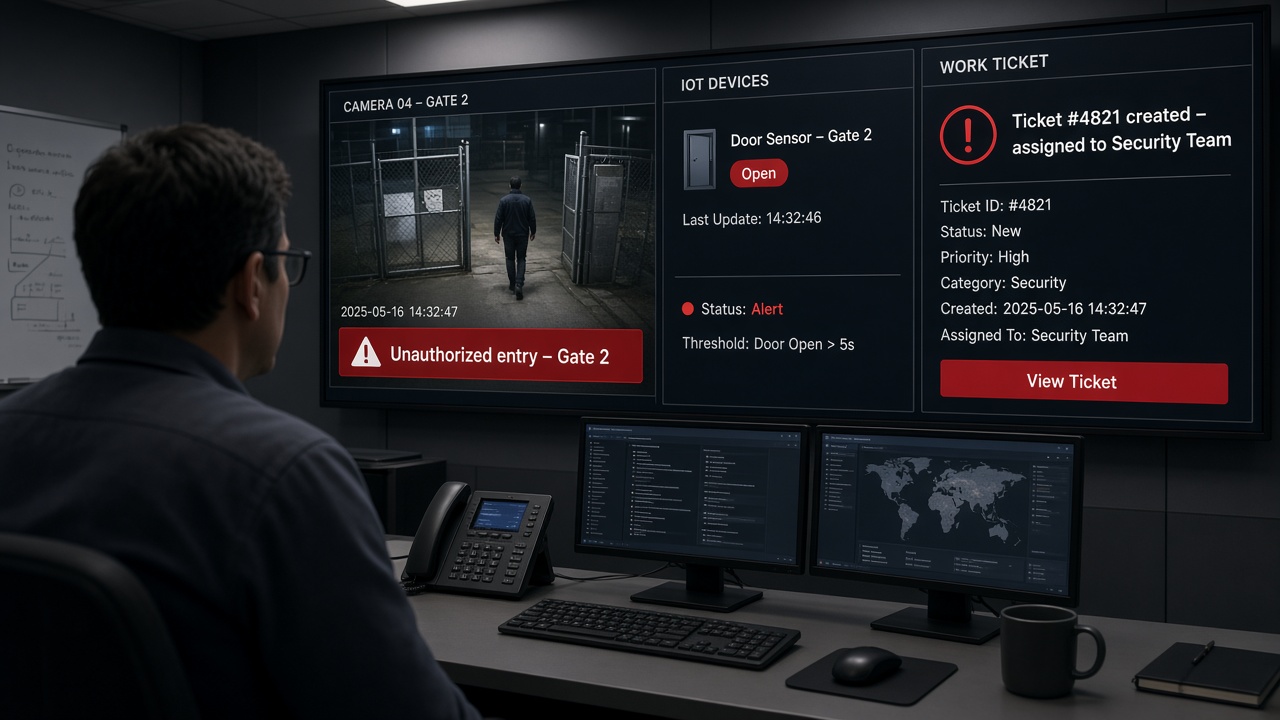
Operations room display showing an AI camera alert for unauthorized entry at Gate 2, an IoT door sensor reading open and an automatically created work ticket assigned to the security team
Video and IoT: a camera event and a door sensor reading become an assigned work ticket

Government Portals

Where suitable interfaces are available, applications can submit information to external portals and track status, reducing manual uploads and follow-ups.
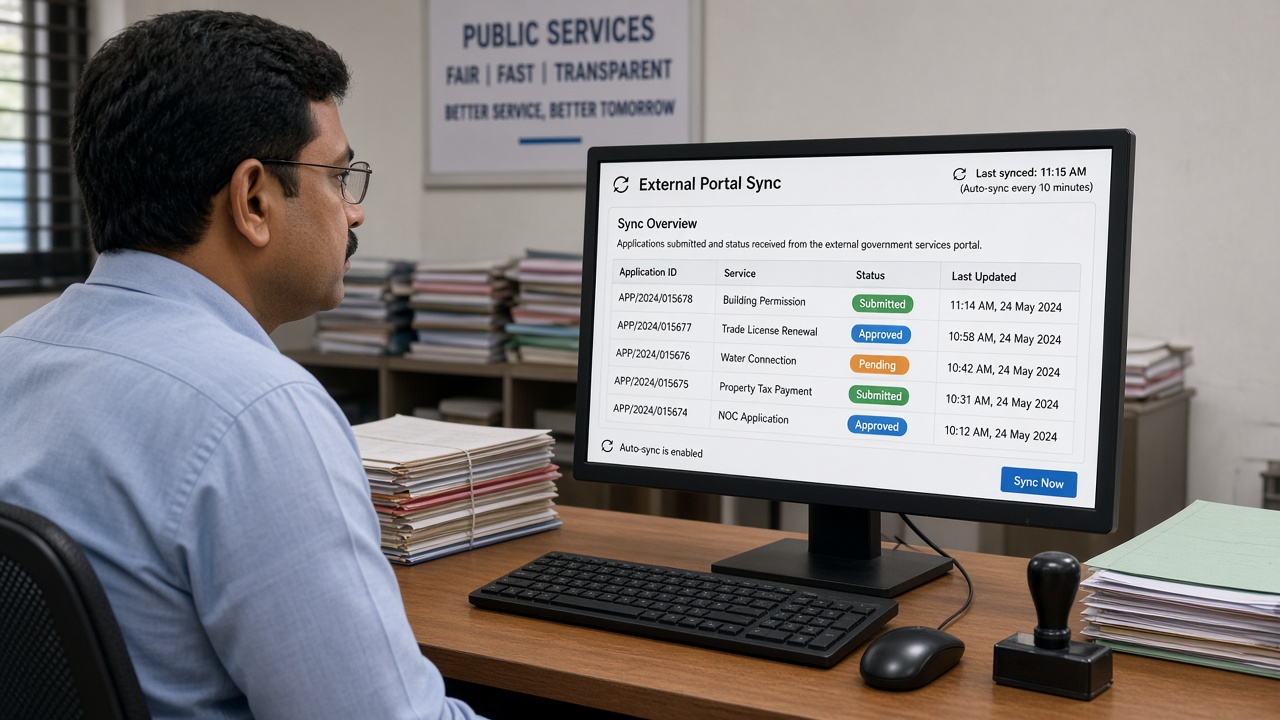
Public services officer at a desk with an external portal sync screen listing application IDs, services, submitted, approved and pending statuses and the last synced time
External portals: submissions and status updates synchronized with the internal application

Typical Integration Flow

From one system to the next
System AWhere the information starts
API / Integration LayerConnects, transforms and routes the data
Business LogicRules, validation and decisions
System BWhere the information is needed
Automated WorkflowThe next steps happen automatically
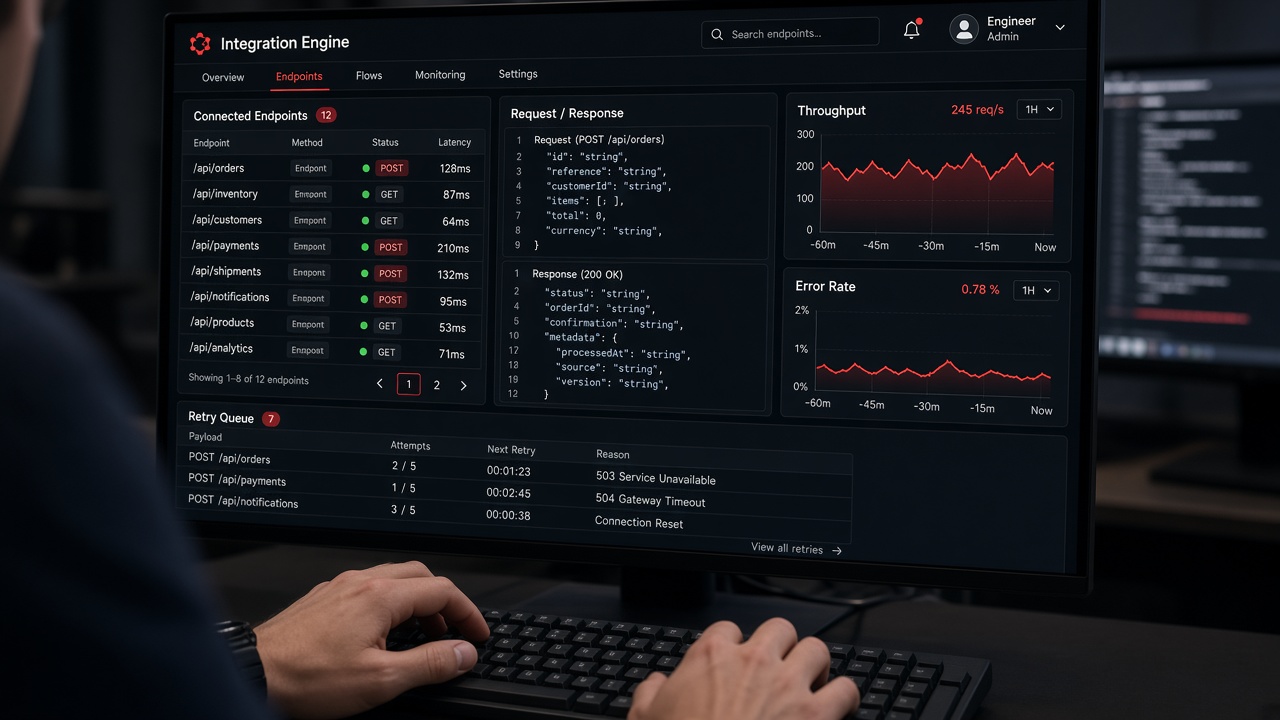
Integration engine console with connected API endpoints and status, request and response panels, throughput and error-rate charts and a retry queue
The integration layer: connected endpoints, data exchange and monitoring in one console

Automated Workflows

Once systems are connected, the steps between them can be automated: a new order can be validated, invoiced, sent to the warehouse and confirmed to the customer without manual hand-offs.
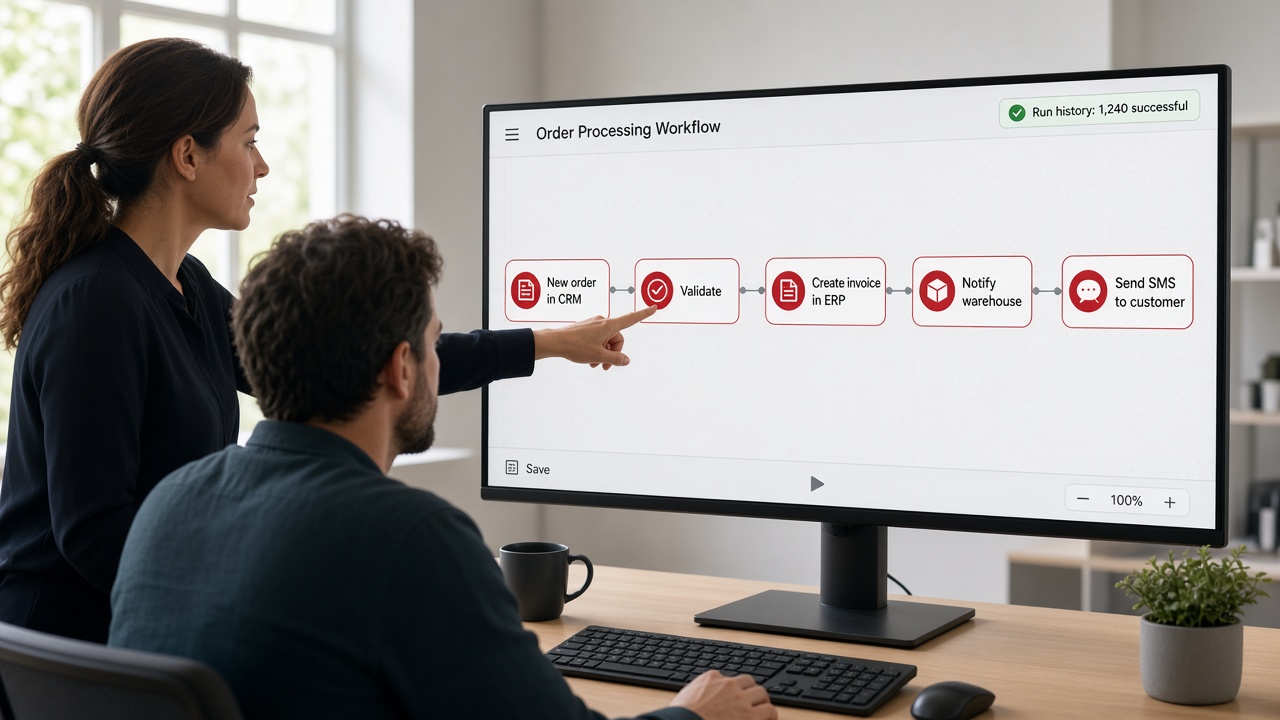
Example: order processing
1
New OrderCreated in CRM
2
ValidateBusiness rules
3
InvoiceCreated in ERP
4
NotifyWarehouse
5
ConfirmTo the customer
Process owner pointing at an automated order processing workflow on screen from new order in CRM to validate, create invoice in ERP, notify warehouse and send SMS to customer
Automated workflows: the steps between systems run without manual hand-offs

Why Integrate?

This can reduce duplicate data entry and improve the flow of information between systems.

Disconnected systems
  1. The same data entered several times
  2. Information waits for manual hand-offs
  3. Each system holds part of the picture
Integrated & automated
  1. Data entered once and shared
  2. Information flows between systems
  3. Workflows continue automatically

Explore All Enterprise Technology →

Connect Your Systems, Automate the Flow

MLT connects ERP, CRM, mobile, IoT, video, payment, portal and internal systems so information moves where it’s needed and work continues automatically.

Make your systems work together

Tell us which systems need to talk to each other, and our team will help design the right integration and automation approach.

Back to Enterprise Technology
Get in touch

Ready to make your systems work together?

Share a few details about the systems you use and where information gets stuck, and our team will help design the right integration.

No pitch decks. Just a hello — we’ll take it from there.