AI & Video Intelligence · Video Management System

Video Management System: Manage Your Video Infrastructure From One Place

A Video Management System provides the operational layer for managing video sources, live monitoring, recordings and events.

Solution Cameras · Live · Recording · Events · AI 5 min read
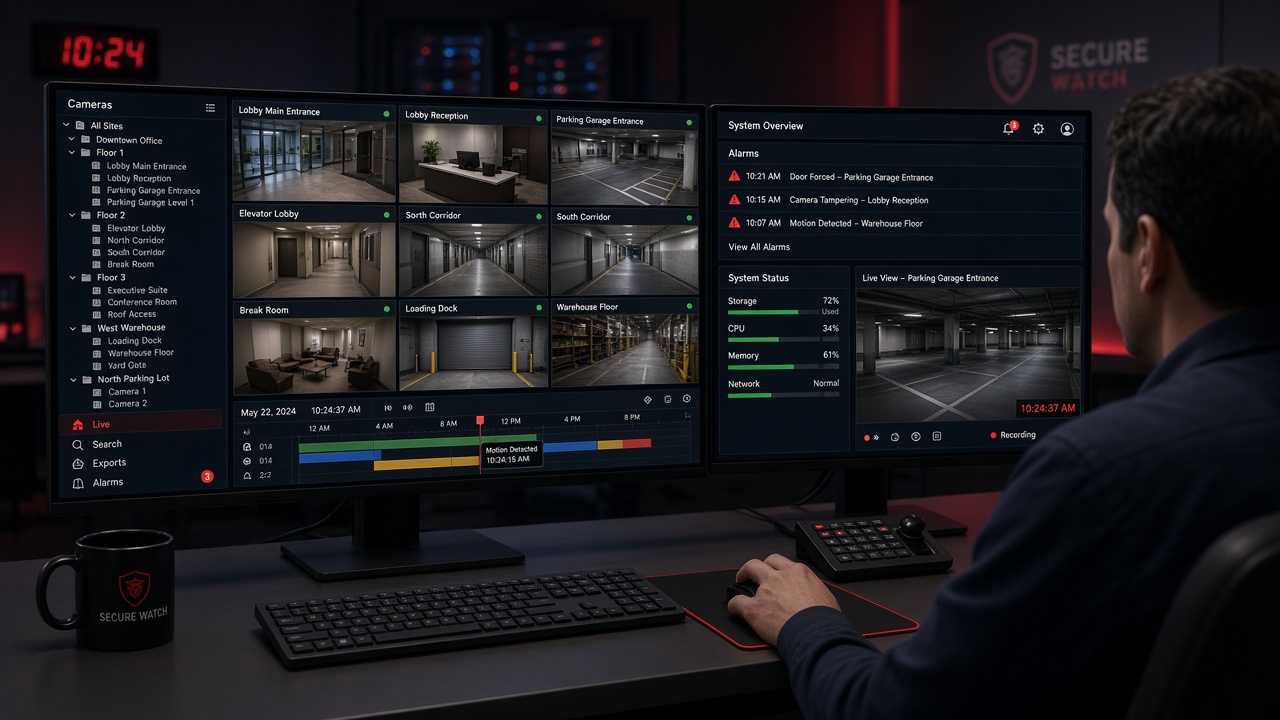
Security operator using a video management system with a live camera grid, a camera tree grouped by site and floor, a recording timeline with event markers and an alarms panel

Manage Your Video Infrastructure From One Place

A Video Management System provides the operational layer for managing video sources, live monitoring, recordings and events.

MLT’s approach can combine conventional video management with AI intelligence, so the same system that manages cameras and recordings can also surface detected events and alerts. It sits alongside AI Video Analytics within MLT’s wider AI & Video Intelligence portfolio.

VMS at a glance
SolutionVideo Management System (VMS)
Solution AreaAI & Video Intelligence
RoleOperational Layer for Video
ManagesVideo Sources, Live Monitoring, Recordings & Events
ScopeSingle Site to Multi-location
IntelligenceAI Event Integration with AI Video Analytics
OutputsLive Views, Playback, Alerts, Dashboards & Reports
Solution highlights
0
Core capabilities
0
Layers in an intelligent environment
0
Place to manage video
Live
Monitoring across sites
Recorded
Search & playback
AI
Event integration

Core Capabilities

A VMS brings the day-to-day work of running a camera estate into one system.

What the VMS manages
Camera ManagementAdd, group & configure
Live MonitoringReal-time camera views
Multi-location MonitoringMany sites, one view
Recording ManagementSchedules & retention
Search & PlaybackFind & review footage
Event ManagementLog, review & close
User & Role ManagementPermissions by role
AlertsNotify the right people
Camera HealthOnline, offline & tamper
AI Event IntegrationAI detections as events
DashboardsStatus at a glance
ReportingEvents, uptime & usage

Live & Multi-location Monitoring

Cameras across offices, warehouses, campuses and other sites can be organized by location and viewed from a central monitoring point, with live views available wherever operators need them.
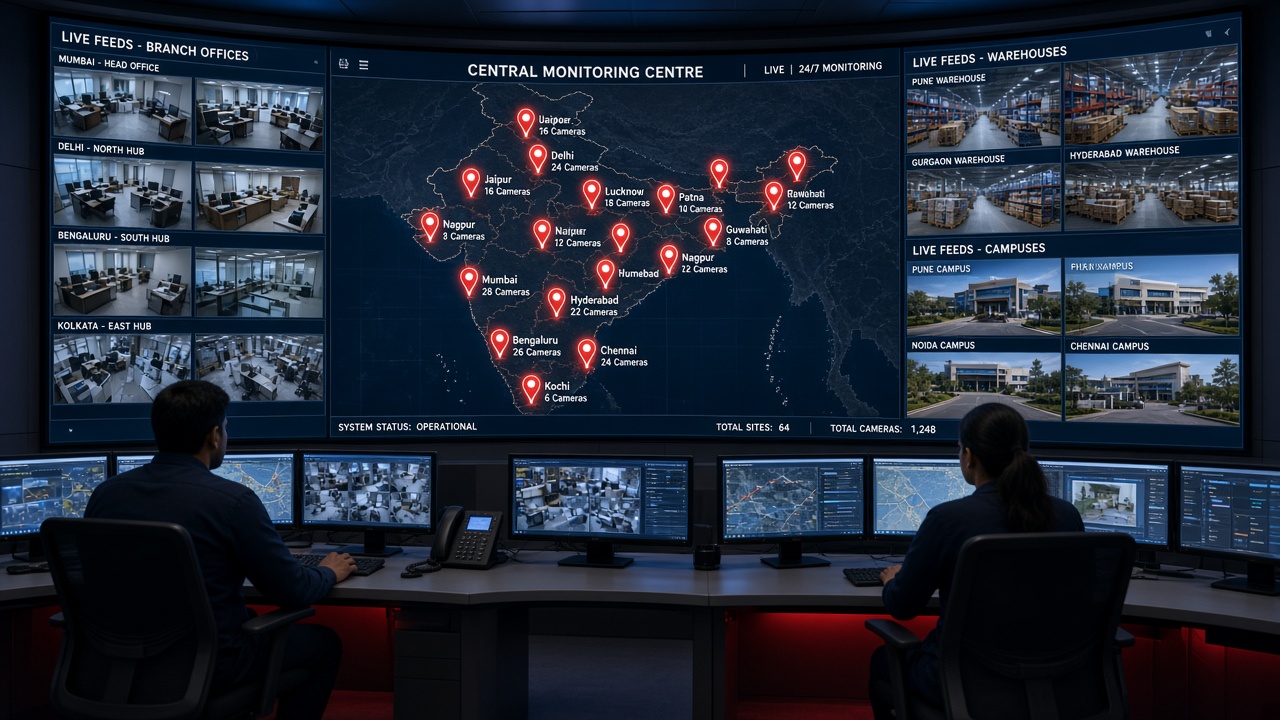
Central monitoring centre with a curved video wall showing a map of site locations with camera counts, surrounded by live feeds from branch offices, warehouses and campuses
Multi-location monitoring: sites, camera counts and live feeds brought into one monitoring centre

Recording, Search & Playback

Recordings are managed centrally, and operators can search by camera, time and event, review footage on a timeline and export the relevant clip.
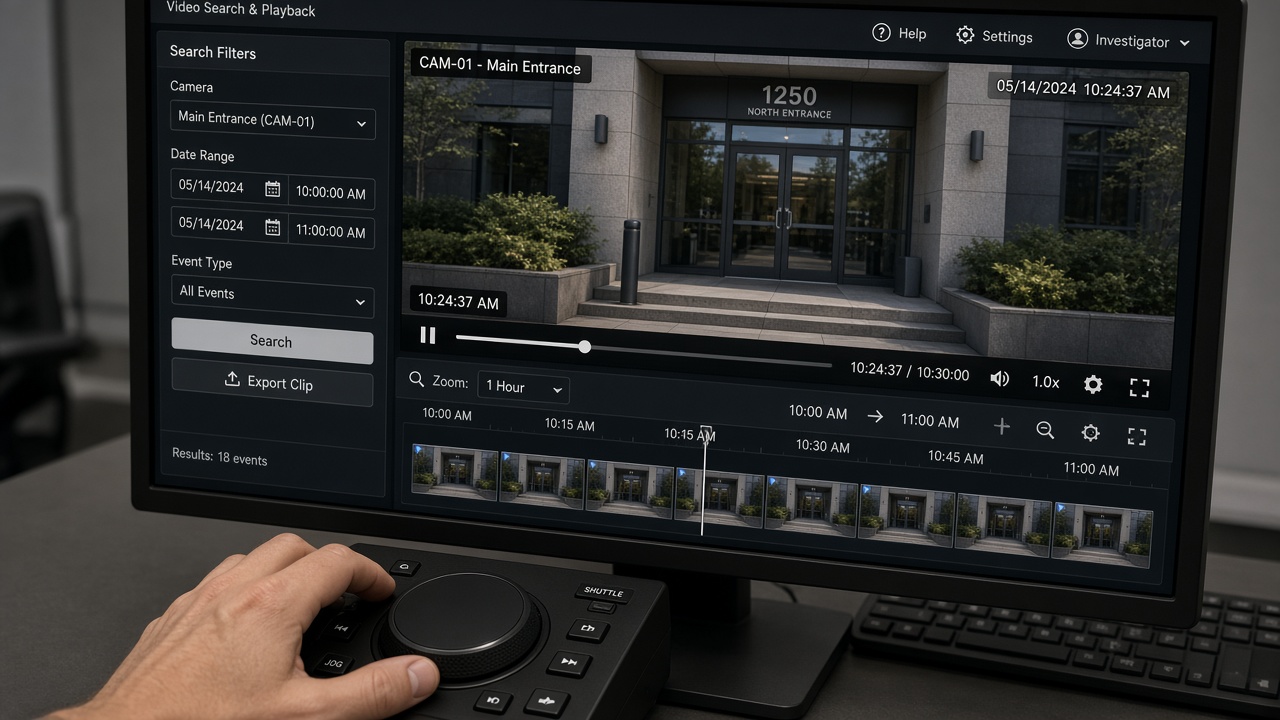
Video search and playback screen with filters for camera, date range and event type, a paused entrance view, a thumbnail timeline and an export clip button, operated with a jog-shuttle controller
Search & playback: filter by camera, time and event, then review and export the clip

Camera Health

A camera that is offline, obstructed or low on storage cannot help anyone. Camera health monitoring shows which cameras need attention so issues can be fixed before footage is needed.
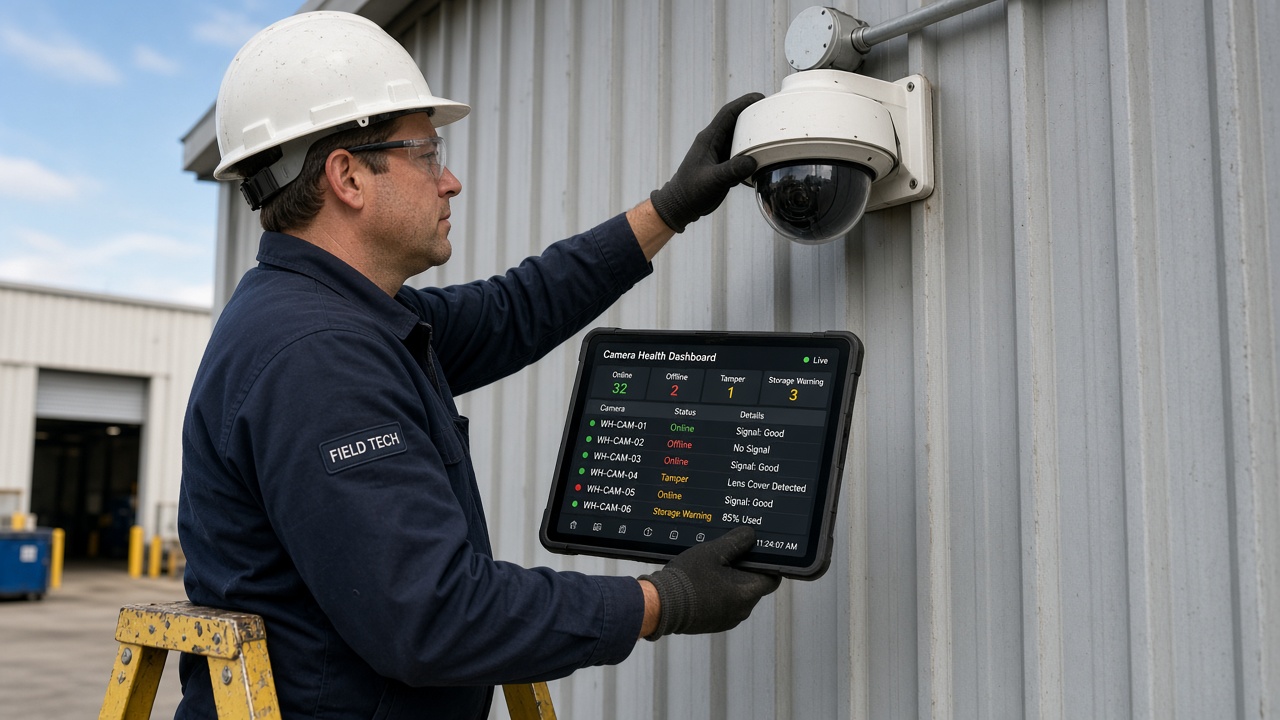
Field technician on a ladder servicing a dome camera while holding a tablet showing online, offline, tamper and storage warning statuses
Camera health: offline, tamper and storage warnings direct maintenance to the right camera

User & Role Management

Different people need different access. Roles and permissions control who can view, play back, export or administer which sites and camera groups.
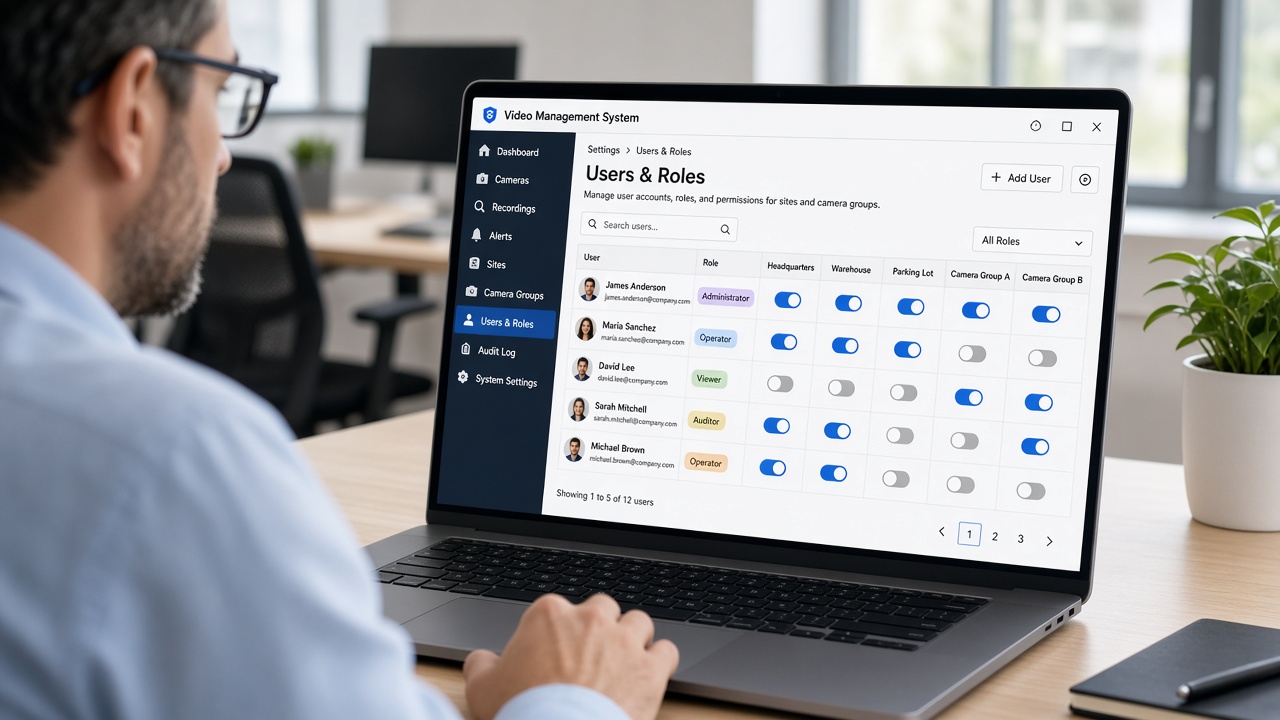
IT manager reviewing a users and roles screen with administrator, operator, viewer and auditor roles and permission toggles per site and camera group
User & role management: access defined per role, site and camera group

VMS + AI

A conventional VMS primarily manages video.

An intelligent video environment combines:

The intelligent video environment
VMSCameras, live views, recordings and playback
AI Video AnalyticsPeople, vehicles, objects and configured events
EventsStructured records with images and video
AlertsNotifications to the right people
Operational WorkflowsAcknowledge, assign, escalate and resolve

This creates a system in which operators can access both video and structured intelligence.

Conventional VMS
  1. Manages cameras and recordings
  2. Operators watch live views
  3. Incidents found by searching footage
  4. Follow-up handled outside the system
VMS + AI
  1. Video and AI events in one place
  2. Configured events detected automatically
  3. Event card with snapshot and clip
  4. Alerts to the right people
  5. Workflow from acknowledge to resolve
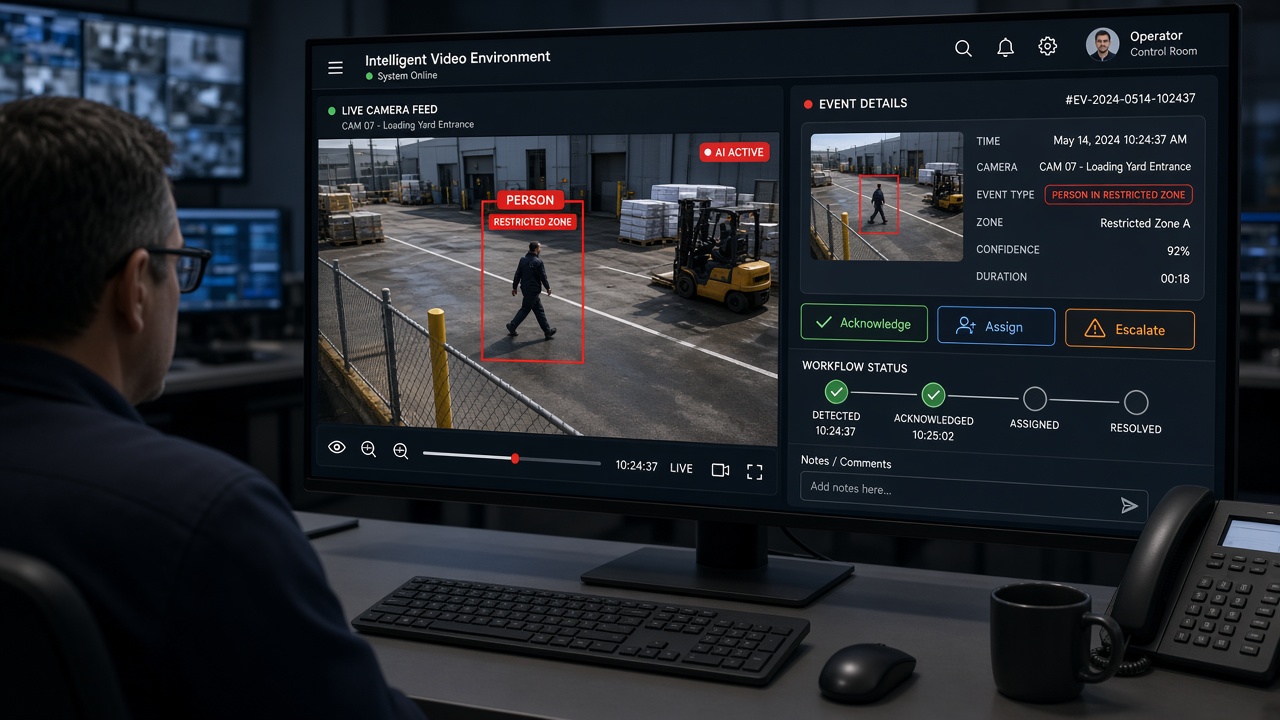
Operator workstation with a live yard camera showing an AI detection of a person in a restricted zone beside an event card with acknowledge, assign and escalate buttons and a workflow status bar
VMS + AI: live video, the AI event and its workflow side by side
From AI event to resolution
1
DetectedAI identifies the event
2
AlertedOperator notified
3
VerifiedLive & recorded video
4
AssignedRight team takes over
5
ResolvedClosed & reported

Alerts, Dashboards & Reporting

Alerts can reach responsible people away from the control room, while dashboards and reports show event trends, camera uptime and activity across sites.
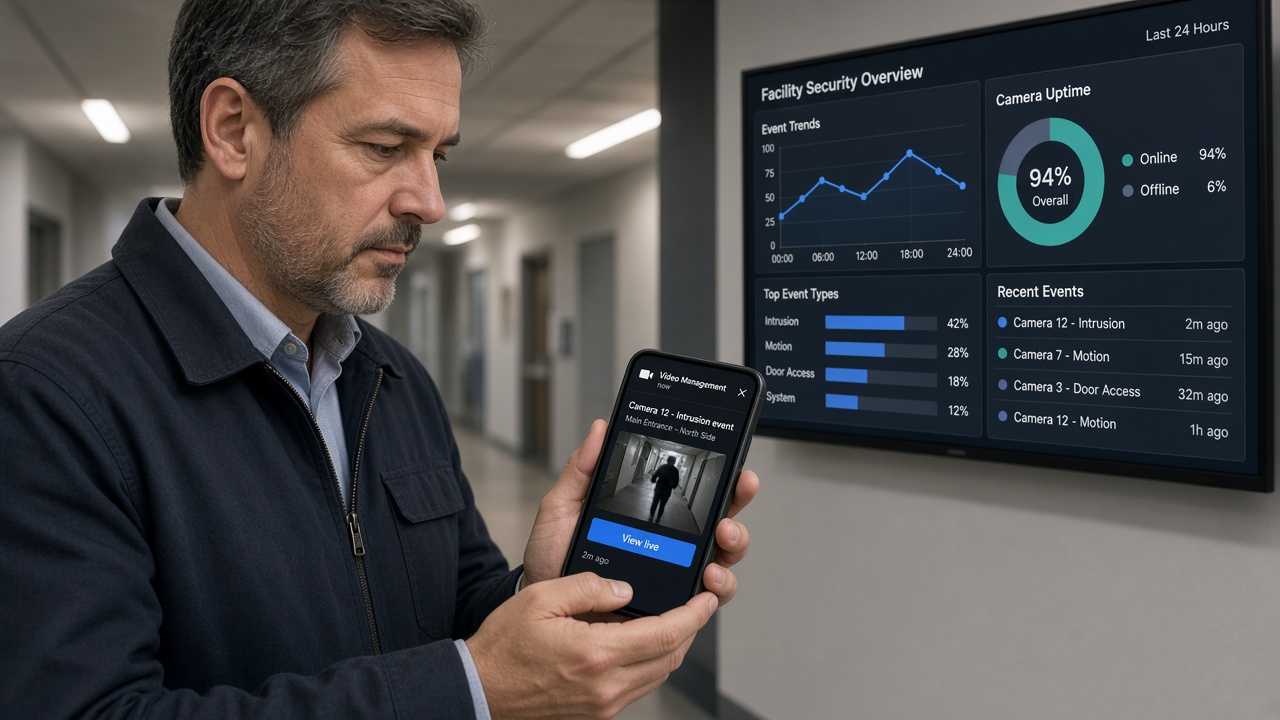
Facility manager reading an intrusion alert with a snapshot on a smartphone, with a wall dashboard showing event trends, camera uptime and recent events behind him
Alerts on the move, with dashboards showing event trends and camera uptime

One Place for Video and Intelligence

By combining conventional video management with AI video analytics, events, alerts and workflows, MLT’s VMS approach gives operators one place to manage video infrastructure and act on structured intelligence.

From Camera. To Intelligence. To Action.

Planning a video management system?

Whether you are centralizing cameras across sites, upgrading recording and playback, improving camera health visibility or adding AI events and workflows, the right VMS design is critical.

Back to AI & Video Intelligence
Get in touch

Ready to manage your video infrastructure from one place?

Share a few details about your cameras, sites and monitoring needs, and our team will help design the right video management approach.

No pitch decks. Just a hello — we’ll take it from there.